Add Go to Top Button with CSS for Blogger / Blogspot
Add “Go to Top Button” with CSS . It is a Shortcut to come to top when you are at Bottom of page...

 Add Go to Top Button with CSS for Blogger / Blogspot


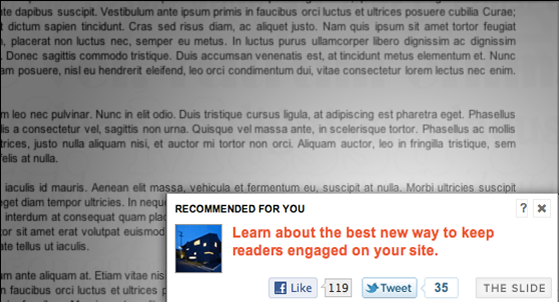 Add recommended post slide out widget for blogger

 With the release of Cute Box blogger Template
I also released some useful blogger widgets which includes a
Bookmarking Widget For your blog’s homepage. This widget helps readers
to bookmark your blog’s homepage on their favourite bookmarking services
like Google bookmark, Stumbleupon, Delicious, Digg etc. It contains
icons from our Circular Style Social Media Icon Set. This is how this widget looks like,
With the release of Cute Box blogger Template
I also released some useful blogger widgets which includes a
Bookmarking Widget For your blog’s homepage. This widget helps readers
to bookmark your blog’s homepage on their favourite bookmarking services
like Google bookmark, Stumbleupon, Delicious, Digg etc. It contains
icons from our Circular Style Social Media Icon Set. This is how this widget looks like, 
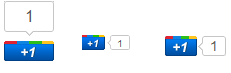 Google released recently
there +1 Button that will show publicly what you like, agree with, or
recommend on the web. When you +1 an article or tutorial, your name will
appear under that article when that article appears in search results.
You can also find out what articles your friends read and liked. This
according to Google is aimed to make Google Search results more relevant
and useful. For Bloggers like you, I am sure this is another great tool
to increase the PR, relevancy and importance of your blog. According to
me, the more +1'd this you receive the chances for your blog's PR to improve will increase also
because the PageRank algorithm is linked to all activities that takes
place in your blog. The video below will demonstrate better,
Google released recently
there +1 Button that will show publicly what you like, agree with, or
recommend on the web. When you +1 an article or tutorial, your name will
appear under that article when that article appears in search results.
You can also find out what articles your friends read and liked. This
according to Google is aimed to make Google Search results more relevant
and useful. For Bloggers like you, I am sure this is another great tool
to increase the PR, relevancy and importance of your blog. According to
me, the more +1'd this you receive the chances for your blog's PR to improve will increase also
because the PageRank algorithm is linked to all activities that takes
place in your blog. The video below will demonstrate better,
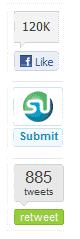 Since it is weekend so I thought lets play with some CSS again. Facebook Like Button and retweet counter by tweetmeme are the two most widely used social media widgets without which you can’t call a blog a blog. Both these buttons along with Stumble Upon
bookmarking button can let your readers circulate/share your tutorials
and articles with their interested collegues and friends connected to
them via these social networks. With a little HTML spiced with CSS we
succeeded in creating a floating widget that will include these three
buttons and will stay fixed at the middle lift side of your websites.
The widget settings can surely be changed to align it to the right,
bottom or left if you wish. You can also add more buttons to it if you
wish like DIGG for instance...
Since it is weekend so I thought lets play with some CSS again. Facebook Like Button and retweet counter by tweetmeme are the two most widely used social media widgets without which you can’t call a blog a blog. Both these buttons along with Stumble Upon
bookmarking button can let your readers circulate/share your tutorials
and articles with their interested collegues and friends connected to
them via these social networks. With a little HTML spiced with CSS we
succeeded in creating a floating widget that will include these three
buttons and will stay fixed at the middle lift side of your websites.
The widget settings can surely be changed to align it to the right,
bottom or left if you wish. You can also add more buttons to it if you
wish like DIGG for instance...