Add Static Facebook Pop Out Like Box with Smooth Jquery Hover Effect

Static Facebook Pop Out Like Box with Smooth Jquery Hover Effect for blogger, this is another cool widget just like a Static Twitter Follow me Badge, but here i added like box with simple Jquery hover Effect. You See a static facebook badge at right of your Page and when mouse over the badge with like box is visible by Sliding to Left...


Disable Facebook Timeline App

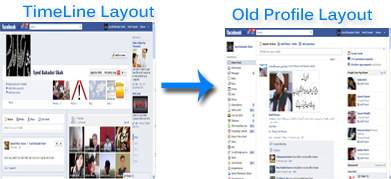
Facebook timeline is a great way of displaying your old photos, memorable posts and apps with your friends and family. This feature changes your entire Facebook Profile layout into a more attractive look. I previously wrote a tutorial on how to Enable Facebook Timeline Feature and today I am sharing the tutorial on how to completely remove the timeline app from your profile and revert to older Facebook profile layout. Since this time-based story telling did receive mixed feedback therefore it would be really helpful for most of you to learn how to undo/delete this application... 

How To Disable Facebook Timeline Layout? 

  1. Log in to your Facebook account
  2. Then visit this page Developers
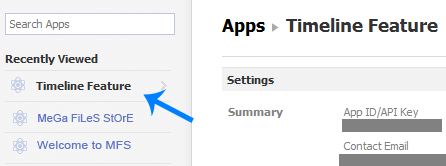
  3. Towards your left you will see apps. Choose the app you created for timeline. In my case I named it Timeline Feature.

Enable Facebook Timeline For your Profile Now!


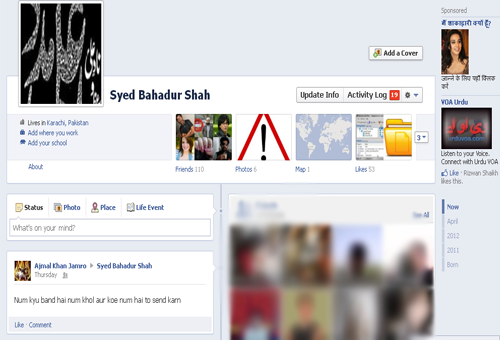
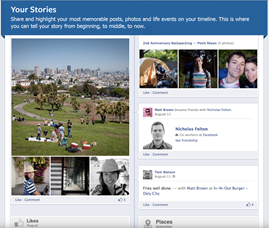
Facebook new and amazing development just to arrive and this amazing Profile layout change method is called "Timeline" This new feature displays a hierarchy of all your experiences  date-wise like post updates, comments, photo and video uploads.  Timeline is your collection of photos, posts and apps that tell your story. You can see what you did in last year or last month. All Facebook status updates that you made or the fun you had so far can be reviewed by rolling back to the old days using this brilliant new feature. At present this feature can be enabled only through the developers page and will be visible to only those people who have enabled Facebook developers App. However very soon Facebook will publically enable the Profile Timeline for all. So why wait when you can try it now!

Facebook Timeline has Officially started Replacing Old Layouts

The most awaited Timeline Update is soon to roll out all over the world starting its first major release from New Zealand. On 6th December 2011, all old Facebook profiles in new Zealand were replaced with the new Timeline layout that displays a hierarchy of all your experiences  date-wise like post updates, photos and video uploads. The activation will be applied to the remaining 800 Million accounts this month and it will be completed hopefully before the start of 2012...


What is Timeline?

Here is the Facebook Official video link which will describe you, what is timeline. Watch this:


Facebook Video Calling: How To Set Up & Start a Video Call?

Facebook has finally started filling up the missing blanks on their social network as an answer to Google Plus Project. Together with Skype, Facebook has launched its first ever Video Calling option on there website. Facebook Users can now not only chat but they can now see their loved ones smile, wink and say lol face to face! So far there are no latency issues and video calling loads faster and works without pauses or any other pros. You don't need to install any software or application to make this function work. Below you will find some useful Facebook video calling tips...


Next Post Home